
TikTok Shop isn’t Amazon. It’s not even close. Amazon buyers come in already knowing what they want. They searched for it. They’re comparing options. TikTok buyers stumble onto your product while they’re watching someone’s morning routine or a cooking video. The mindset is completely different, and your images need to work differently because of it.
The other thing sellers get wrong: they think video is everything on TikTok. Video gets you the click. But once someone lands on your listing and starts swiping through your photos, that’s where the actual buying decision happens.
Weak images at that stage lose you sales that your video already earned. TikTok Shop reportedly crossed $20 billion in GMV globally in 2023. The sellers doing serious numbers there understand this. The ones who don’t are leaving money on the table every single day.
The Rules TikTok Actually Enforces
TikTok Shop has image requirements. Some are hard rules that get your listing rejected or suppressed. Others are guidelines that quietly hurt your visibility when you ignore them. Here’s what matters in practice:
Resolution and Dimensions
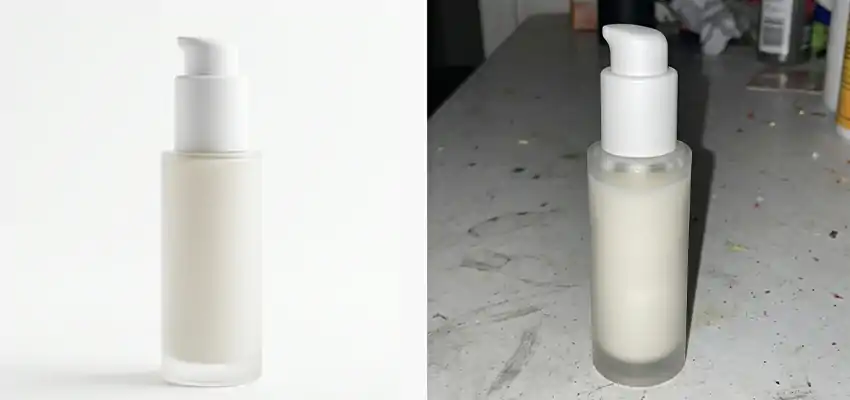
The stated minimum is 500 x 500 pixels. Ignore that number. If you upload a 500px image, it’s going to look soft on any modern smartphone screen, especially when buyers pinch to zoom. Upload at 1000 x 1000 pixels at minimum. If your photographer delivers images at 2000 x 2000, use those. TikTok scales images down as needed but can’t add resolution that isn’t there.
Square format (1:1) is what works best for the main image. That’s how TikTok renders thumbnails in search results, the shop feed, and most discovery surfaces. You’re technically allowed to use other ratios in some slots, but keeping everything square removes the guesswork about how your image gets cropped on different screens.
File size needs to stay under 5MB. TikTok accepts both JPEG and PNG. For white background product shots, PNG is cleaner since JPEG compression can create faint color halos around product edges, especially on bright product colors against white. For lifestyle images where that’s less noticeable, JPEG is fine.
What Gets Images Rejected or Listings Flagged
Watermarks from other platforms will get you flagged fast. Amazon, eBay, Alibaba, Wish. If you’re repurposing supplier images, look at them carefully. Alibaba factory photos commonly have Chinese text or brand logos embedded in the image or in the background. Amazon sometimes embeds its logo in files sellers export from Seller Central. TikTok catches these.
Text overlays on the main image are not allowed. No “Sale” banners, price callouts, or “As Seen On TikTok” badges. No borders or graphic frames. The main image needs to be clean product photography, full stop. Feature callout graphics belong on images 4 through 9, not on your thumbnail.
Rating badges, review count displays, comparison charts with competitor products, and anything that looks like a claim you can’t back up also violate TikTok’s image policies. These are extremely common on supplier images sourced from Asian marketplaces. Strip them before you upload anything.
White Backgrounds on the Main Image
TikTok Shop pushes sellers toward pure white backgrounds on the hero image, and this isn’t just aesthetic preference. Their internal listing quality scoring rewards it. Buyers shopping on TikTok Shop compare listings side by side. When your product is on a clean white background, it reads as professional. When it’s on gray, cream, or a lifestyle background, it sits below the listings around it that followed the guideline.
Some sellers resist this. They think their lifestyle photography is better looking and want to lead with it. They’re not wrong that lifestyle photos can be gorgeous. But put them in slot 1 and you’re fighting the algorithm while also confusing buyers who expect to see the product clearly first.
Nine Image Slots. Use All of Them.
Most sellers I’ve seen use 4 or 5 images and stop there. TikTok gives you 9 slots. Fill them. Every unused slot is a question you didn’t answer for a buyer who was close to converting but needed one more thing to feel confident. Here’s how to think about each one:
Slot 1: Just the Product, Nothing Else
White background. Product centered, filling around 80 to 85 percent of the frame. No props, hands, or context. The only job of this image is to make it instantly obvious what your product is. Not what it does. Not how it looks on someone. Just: what is this thing. Clarity beats creativity here, every time.
Slots 2 and 3: Other Angles
Turn the product around. Buyers aren’t going to get it in their hands before buying, so they’re relying on your photos to feel like they understand it physically. Side view. Back view. Bottom if relevant. The inside of a bag. The back of a skincare bottle where the ingredients are. The underside of a shoe. These shots pre-answer questions that would otherwise become customer service emails or, worse, returns.
Slots 4 and 5: Someone Actually Using It
Now bring in the lifestyle element. Real person, real setting, real light. Not a model standing in front of a seamless backdrop doing nothing. Someone actually using the product in a way that looks believable. A protein powder next to a shaker on a gym floor.
A candle burning on someone’s actual kitchen table. Sunglasses on a real person outside. The more it looks like a photo someone’s friend took, the better it tends to do on TikTok. Overly polished lifestyle shots can actually trigger skepticism from TikTok’s audience, which is trained to detect anything that feels like a traditional advertisement.
Slots 6 and 7: Details That Signal Quality
Zoom in on whatever makes your product worth buying. The stitching. The finish. The weight of the material. The texture. If you’re selling a bag, this is the zipper pull up close. If you’re selling a supplement, this might be a clean shot of the label showing the ingredient profile. Skincare sellers do well with texture shots.
Electronics sellers use detail images to show port placement and button feel. These shots do double duty: they build trust with buyers who are paying attention, and they reduce the chances of a return from someone who got something they weren’t expecting.
Slots 8 and 9: Size and Scale
This is the one most sellers skip and the one that causes the most returns. Size confusion is a real problem in e-commerce. Someone orders what they think is a large storage bin and receives something the size of a shoebox.
Show your product next to something everyone knows. A hand holding it. A standard mug next to it. A ruler. A quarter. For clothing and accessories, size charts as images in these slots work well, or a flat lay with a tape measure visible. Don’t assume buyers will read the dimensions in your text description. Most won’t. Show them instead.
Technical Mistakes That Kill Otherwise Good Images
You can do everything above and still undermine yourself in the editing phase. Here’s what to watch for:
Color Shifts From Screen to Screen
Phone displays, especially OLED screens on newer Android devices and iPhones, are more saturated and contrasty than most monitors. A navy blue that looks correct in Lightroom on your laptop can appear almost black on a phone screen. A terracotta that looks warm and muted in editing can look orange in the listing.
Check every product image on your actual phone before publishing. Better yet, open it in the TikTok Shop app if you can. What you see there is what buyers see. Color complaints in reviews, the “not what we expected” ones, are almost always a photography and editing problem that could’ve been caught earlier.
Getting the White Background Actually White
This is more technical than most sellers expect. Shooting in front of a white wall or white paper doesn’t automatically give you a white background in the final image. You need even lighting on the background itself. Without that, you get gray gradients, shadows, or hotspots. A lightbox, which you can get for $30 to $50 online, solves this without requiring a studio or any real photography knowledge.
You put the product in, position the lights, and get a consistent clean background every time. Two softbox lights angled from the sides and a white sweep work better for larger products. The point is that “white” isn’t just the color of what you shot on. It’s the result of proper lighting on whatever you shot on.
Over-Sharpening in Post
There’s a thing that happens in Photoshop and Lightroom where a small amount of sharpening makes edges look crisp and professional in a small thumbnail, but at full size it looks artificial and processed. Products with hard sharpening applied look cheaper, not better. Go light on sharpening.
Export at maximum quality before you hit the 5MB file limit. A slightly softer image with accurate color and clean lighting converts better than a heavily sharpened one that looks like it’s been run through too many filters.
Images and TikTok Shop SEO: The Part Sellers Miss
TikTok Shop has a listing quality score. It’s not publicly documented in detail, but it’s real, and image quality feeds into it. The platform looks at things like image count, resolution, and whether your main image meets style guidelines. Listings with higher quality scores get better organic placement. This means your images directly affect how much free traffic TikTok sends you.
The connection to search ranking is also worth thinking through. When someone searches “wireless earbuds under $30” on TikTok Shop, they see a grid. They make a split-second decision about which listings to click based almost entirely on the main image. If yours is unclear, poorly lit, or cluttered compared to the listings around it, fewer people click it.
Low click-through rate tells the algorithm your listing is a weaker match for that search. Over time, your ranking drops. Better click-through from a better main image is a compounding advantage, not a one-time win.
So this isn’t just a conversion rate conversation. It’s also about how many people ever reach your listing in the first place.
Why TikTok Buyers Behave Differently Than Amazon Buyers
Amazon is a search engine with a store attached. Buyers come in with intent. TikTok is entertainment with a store attached. Buyers come in having just watched 40 videos and stumbled onto your product by accident. The psychology is different, and your images need to account for that.
Highly polished infographic-style images that work well on Amazon tend to feel too corporate on TikTok. Buyers there have an unusually sensitive filter for anything that feels like traditional advertising.
Images that look like they came from a real person rather than a marketing team tend to convert better. This doesn’t mean lower quality. It means natural light, real environments, and photos that could plausibly appear on someone’s Instagram without feeling staged.
Before-and-after images perform particularly well for categories like skincare, cleaning products, and home organization. Unboxing-style shots that show exactly what arrives, the product plus the packaging, also do well because they match how TikTok users already document their purchases. You wouldn’t lead with either of these on an Amazon listing. On TikTok, they fit naturally into how people experience the platform.
The Silent Performance Killers
Some image problems get caught immediately. Others quietly drag down your listings and you never get a notification telling you why.
Recycling marketplace images is the most common. Amazon files sometimes have the logo embedded when exported from Seller Central. Alibaba and 1688 supplier photos regularly have Mandarin text in the background, watermarks, or Chinese brand logos.
Even if TikTok doesn’t automatically reject them, buyers notice. It signals that you didn’t photograph your own product, which raises questions about whether it’s legitimately yours to sell.
Screenshots from your own TikTok videos seem like a convenient shortcut. They’re not. Video frames are heavily compressed, often motion-blurred even at a still moment, and rarely hit the resolution standards that make images look good at full size. We haven’t seen a video screenshot that competes with even mediocre product photography in a listing context.
Uploading images in the wrong sequence is an underrated problem. Buyers swipe through your images in order. If they hit a zoomed-in detail shot before they’ve seen the full product clearly, they lose context.
If your scale reference comes in slot 2 before any lifestyle context is established, it reads as clinical. Follow the mental sequence a buyer naturally goes through: what is it, what does it look like from every angle, how does it fit into my life, what are the details we care about, how big is it really.
A Practical Checklist
Before publishing any TikTok Shop listing, run through this:
- Main image is on a true white background, at least 1000 x 1000px, product fills about 80% of the frame. Zero text, watermarks, borders, or logos.
- At least two additional angles showing the back, sides, and any interior detail that matters to the buying decision.
- Two lifestyle images shot in realistic, recognizable settings. Natural or soft lighting. A real person using the product if you can manage it.
- Two detail close-ups highlighting quality signals specific to your product type. Stitching, texture, finish, ingredient label, hardware, whatever matters for your category.
- At least one size reference image. A hand holding it, a ruler, a common object for comparison, or a flat size chart image.
- If the product comes in multiple colors, each color has its own clean hero shot rather than one composite image showing all of them.
The Bottom Line
Video brings people in. Images make the sale. That’s the dynamic on TikTok Shop, and it doesn’t change regardless of how good your product is or how well your ads perform.
Walk through any top-converting category on TikTok Shop right now. Look at the listings doing real volume. Almost every single one of them has a full, professional image set. Clean hero shot, multiple angles, lifestyle context, details, scale reference. It’s not a coincidence. The sellers building sustainable revenue there treated the image set seriously. The ones struggling didn’t.
Open your current top listing. Count the images. Pull up the main photo on your phone. If anything in that first photo looks off, cluttered, gray, low-res, borrowed from another platform, fix it before you spend another dollar on ads or another hour on content. Bad photos will drag down good video every time. There’s no shortcut around it.
PakarPBN
A Private Blog Network (PBN) is a collection of websites that are controlled by a single individual or organization and used primarily to build backlinks to a “money site” in order to influence its ranking in search engines such as Google. The core idea behind a PBN is based on the importance of backlinks in Google’s ranking algorithm. Since Google views backlinks as signals of authority and trust, some website owners attempt to artificially create these signals through a controlled network of sites.
In a typical PBN setup, the owner acquires expired or aged domains that already have existing authority, backlinks, and history. These domains are rebuilt with new content and hosted separately, often using different IP addresses, hosting providers, themes, and ownership details to make them appear unrelated. Within the content published on these sites, links are strategically placed that point to the main website the owner wants to rank higher. By doing this, the owner attempts to pass link equity (also known as “link juice”) from the PBN sites to the target website.
The purpose of a PBN is to give the impression that the target website is naturally earning links from multiple independent sources. If done effectively, this can temporarily improve keyword rankings, increase organic visibility, and drive more traffic from search results.