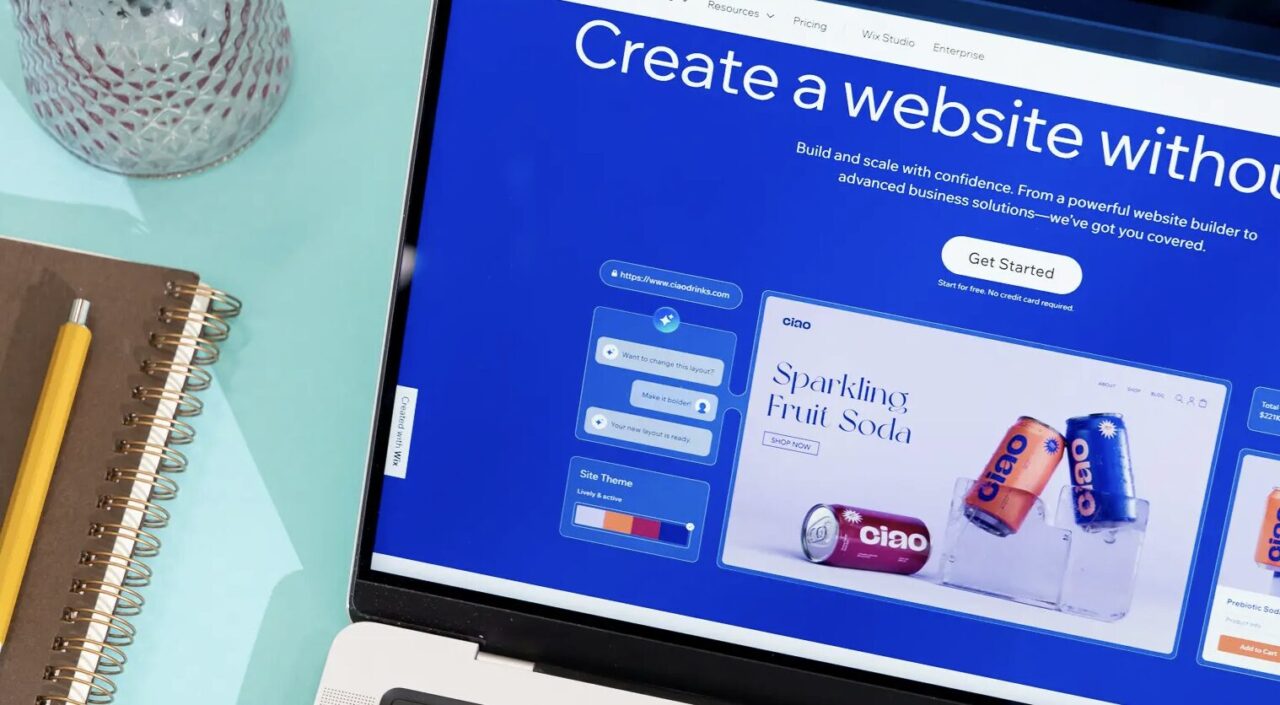
Launching a website has never been easier. Whether you’re starting a small business, opening an online store, building a portfolio, or creating a personal blog, today’s website builders make it possible to create a professional-looking site without writing a single line of code.
Modern website builders include drag-and-drop editors, AI-powered design assistants, built-in SEO tools, ecommerce functionality, and mobile-responsive templates. Many also provide web hosting, domain registration, analytics, email marketing, and customer support, making them an all-in-one solution for growing your online presence.
With dozens of website builders available, choosing the right one depends on your goals, budget, and technical experience. In this guide, we’ll compare the ten best website builders in 2026.
How We Evaluated These Website Builders
Each platform was evaluated based on:
- Ease of use
- Design flexibility
- AI website creation
- SEO features
- Ecommerce capabilities
- Performance and speed
- Template quality
- Pricing and value
- Customer support
1. Wix
Best Overall Website Builder
Wix continues to be one of the most popular website builders thanks to its flexibility, ease of use, and impressive AI tools.
Users can choose from hundreds of professionally designed templates or allow Wix’s AI Website Builder to generate an entire website based on a few simple questions. The platform also includes blogging tools, ecommerce functionality, appointment booking, SEO optimization, and marketing integrations.
Whether you’re creating a personal portfolio or a growing business website, Wix offers one of the most complete packages available.
Pros
- Excellent AI website builder
- Hundreds of templates
- Powerful app marketplace
- Strong SEO tools
- Beginner friendly
Cons
- Switching templates after publishing can be difficult
2. Squarespace
Best for Creative Professionals
Squarespace is known for its beautifully designed templates that appeal to photographers, artists, designers, restaurants, and service-based businesses.
Its intuitive editor makes it easy to build visually impressive websites while offering ecommerce, blogging, scheduling, and email marketing features.
For users who value design above everything else, Squarespace remains one of the strongest options available.
Pros
- Premium templates
- Excellent blogging tools
- Strong ecommerce features
- Mobile responsive designs
Cons
- Less customization than some competitors
3. Shopify
Best for Ecommerce
Shopify has become the industry standard for online stores.
The platform includes inventory management, secure payment processing, abandoned cart recovery, shipping integrations, and thousands of apps that allow businesses to scale as they grow.
Whether you’re selling ten products or ten thousand, Shopify is built specifically for ecommerce.
Pros
- Outstanding ecommerce tools
- Secure checkout
- Large app marketplace
- Excellent scalability
Cons
- Monthly costs increase with additional apps
4. WordPress.com
Best for Bloggers
WordPress powers a significant portion of the internet, and WordPress.com provides an easy way to build websites without managing hosting yourself.
It offers flexible themes, excellent blogging tools, built-in SEO features, and the ability to grow into a more advanced website over time.
For writers, publishers, and content creators, it’s still one of the best platforms available.
Pros
- Excellent blogging platform
- Strong SEO
- Large theme library
- Easy content management
Cons
- Some customization requires higher-tier plans
5. Webflow
Best for Professional Designers
Webflow bridges the gap between traditional website builders and custom web development.
Designers can build fully responsive websites visually while generating clean code behind the scenes. The platform also includes CMS capabilities, animations, interactions, and advanced layout controls.
It’s ideal for agencies and designers looking for complete creative freedom.
Pros
- Professional design tools
- Clean code output
- Advanced animations
- Excellent CMS
Cons
6. Hostinger Website Builder
Best Budget Website Builder
Hostinger combines affordable pricing with surprisingly powerful AI tools.
Users can generate complete websites, create AI-written content, produce logos, and build online stores using an intuitive drag-and-drop editor.
For startups and small businesses working with limited budgets, Hostinger delivers outstanding value.
Pros
- Affordable pricing
- AI website creation
- Fast hosting
- Beginner friendly
Cons
7. GoDaddy Website Builder
Best for Small Businesses
GoDaddy offers a straightforward website builder that focuses on helping local businesses establish an online presence quickly.
The platform includes appointment booking, marketing tools, social media integration, and basic ecommerce capabilities.
It’s particularly well suited for service businesses that need a professional website without extensive customization.
Pros
- Very easy to use
- Fast setup
- Built-in marketing tools
- Reliable hosting
Cons
- Limited design flexibility
8. Framer
Best for Modern Landing Pages
Framer has quickly become a favourite among startups and designers thanks to its sleek interface and AI-powered website generation.
Users can build beautiful landing pages, portfolios, and marketing websites with interactive animations and responsive layouts.
Its modern approach makes it ideal for SaaS companies and technology startups.
Pros
- Excellent AI tools
- Beautiful animations
- Fast performance
- Modern templates
Cons
- Limited ecommerce functionality
9. Duda
Best for Agencies
Duda was designed specifically for agencies managing multiple client websites.
It includes white-label capabilities, team collaboration, client permissions, reusable templates, and workflow automation that simplify large-scale website management.
It’s an excellent solution for freelancers and web design agencies.
Pros
- Agency-focused tools
- White-label options
- Team collaboration
- Fast websites
Cons
- Higher pricing than consumer-focused builders
10. Weebly
Best for First-Time Website Owners
Weebly remains one of the easiest website builders available.
Its drag-and-drop interface allows beginners to quickly build websites, blogs, and simple online stores without technical knowledge.
Although it lacks some of the advanced AI features found in newer competitors, it remains a reliable option for personal websites and small businesses.
Pros
- Very easy to learn
- Affordable
- Good ecommerce basics
- Reliable hosting
Cons
- Fewer advanced features
- Limited template selection
What Should You Look for in a Website Builder?
Ease of Use
If you’re new to website creation, choose a builder with a drag-and-drop editor, intuitive navigation, and helpful tutorials.
AI Website Creation
Many builders now offer AI-powered tools that can generate layouts, write website copy, recommend images, and even build complete websites in minutes.
SEO Features
Built-in SEO tools such as customizable page titles, meta descriptions, XML sitemaps, clean URLs, and schema support can help improve your search rankings.
Ecommerce Features
If you plan to sell products online, look for secure payment processing, inventory management, shipping integrations, and abandoned cart recovery.
Performance
Fast loading speeds and reliable hosting improve both user experience and search engine rankings.
Scalability
Choose a platform that can grow with your business, allowing you to add pages, products, marketing tools, and advanced features as your needs evolve.
Frequently Asked Questions
What is the best website builder overall?
Wix offers one of the best combinations of ease of use, AI-powered design, flexibility, and business features, making it an excellent choice for most users.
Which website builder is best for ecommerce?
Shopify remains the leading platform for online stores thanks to its extensive ecommerce tools, payment processing, inventory management, and scalability.
Which website builder is best for beginners?
Wix, Weebly, and Hostinger Website Builder are all excellent choices for beginners because of their simple editors and AI-assisted setup.
Do I need coding knowledge?
No. All of the website builders on this list allow users to create professional websites without coding.
Can I improve my website’s SEO with a website builder?
Yes. Most modern website builders include SEO tools that help optimize page titles, meta descriptions, image alt text, mobile responsiveness, and overall site performance.
Choosing the right website builder depends on the type of website you want to create. Wix is the best all-around solution thanks to its AI-powered website creation, flexibility, and extensive feature set. Squarespace excels in design, making it ideal for creatives, while Shopify remains the top choice for ecommerce businesses. For bloggers, WordPress.com offers unmatched publishing capabilities, and Hostinger Website Builder delivers excellent value for users on a budget.
The best website builder is ultimately the one that aligns with your goals, technical experience, and long-term plans. Most platforms offer free trials or free plans, allowing you to experiment before making a commitment.
PakarPBN
A Private Blog Network (PBN) is a collection of websites that are controlled by a single individual or organization and used primarily to build backlinks to a “money site” in order to influence its ranking in search engines such as Google. The core idea behind a PBN is based on the importance of backlinks in Google’s ranking algorithm. Since Google views backlinks as signals of authority and trust, some website owners attempt to artificially create these signals through a controlled network of sites.
In a typical PBN setup, the owner acquires expired or aged domains that already have existing authority, backlinks, and history. These domains are rebuilt with new content and hosted separately, often using different IP addresses, hosting providers, themes, and ownership details to make them appear unrelated. Within the content published on these sites, links are strategically placed that point to the main website the owner wants to rank higher. By doing this, the owner attempts to pass link equity (also known as “link juice”) from the PBN sites to the target website.
The purpose of a PBN is to give the impression that the target website is naturally earning links from multiple independent sources. If done effectively, this can temporarily improve keyword rankings, increase organic visibility, and drive more traffic from search results.